
Oscar Rosin
Technical designer
Shards Of The Banished
Team:
Green Beam Studios
Engine:
Unreal Engine 5
Role:
Technical Designer
Date:
17 jun 2024 - 16 may 2025

Description
Shards of the banished is a third-person action-RPG where you explore the corrupted ruins of a once great kingdom. You awaken in a cave as a forgotten warrior, determined to discover what has happened to the outside world.
Context
This was a side project started by our programmer friend Daniel and it eventually turned into a full game, at the start of the full development we already had a idea of the game loop we just needed more content and polish.
As a technical designer I had to work with:
Tutorial
Most of the work I did was either fixing tutorials or the HUD.
Early on I realized that we didn't have a good way of teaching the player the controls. With other team members occupied, I volunteered to develop the tutorial system because tutorials are critical to the player experience.
Since the game had a good amount of mechanics. This meant I was always iterating and changing the tutorials often after player feedback and changes to the systems.
This was perfect with Unreal's Blueprint system, as it allows you to quickly iterate and test new ideas. And giving me more experience with the project as a whole.

image of early tutorial

During this I realized that I had to find a balance between not overwhelming the player or having them be disrupt game play.
To prevent them from being too annoying I tried my best to avoid pausing unless its a more complex action, and mostly tried to use these "live tutorials" that are less intrusive.
image of "live tutorial"
UI controller integration
Early on in development we decided on having controller support as it would not only be more fitting for the game, but also be more comfortable and accessible to more people.
Since I was already the most experienced with the UI, I got most of the work when it came to navigating menus using the controller. And fixing any other UI issues that arose from this.
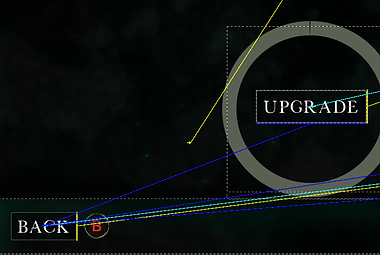


image of controller UI navagation
not wanting to work
This also lead to me having to work a lot with the Input Data Table. This was a built in tool to be able to switch input images based on if there was keyboard or controller input seamlessly.
This system was of course helpful for all UI elements that needed to display a input. Especially for the tutorial which integrated this system.
image of UI updating based on input type
Talismans

Image of brainstorm board
I was also in charge on deciding the talismans and consumables. This was not as difficult because I could take a lot of inspiration from games like Elden ring and the Dark Souls games since they were the same genre.
I did however create some unique ideas and tried to make some of the talismans and consumables more dynamic instead of it just being a increase in statistics. Which lead to the creation of the explosive consumable and the talismans that give buffs after kills.